

Scaling a multi-channel brand in 2026 requires more than just inventory synchronization; it demands a unified communication strategy. Missing a single 'Item Not Received' inquiry on eBay or an 'Order Cancellation' request on TikTok Shop can trigger automated penalties that suppress your listing visibility. Centralized customer support for marketplaces allows sellers to bridge the gap between fragmented platforms and a cohesive brand experience.
The High Cost of Fragmented Support in 2026
Operating with individual browser tabs for Amazon Seller Central, eBay, Walmart, and Etsy is no longer sustainable for brands doing more than 50 orders per day. In June 2026, marketplace algorithms prioritize 'Customer Experience Scores' more heavily than ever, often tying Buy Box eligibility directly to message response times. A delay in responding to an Amazon buyer can lead to an A-to-z Guarantee claim, impacting your account health across the board.
When support is siloed, information is lost. A support agent might spend ten minutes looking for a tracking number on Shopify that was actually fulfilled via Amazon FBA. Understanding the difference between Amazon MCF vs 3PL for multi-channel fulfillment is essential, but if your support team can't see the fulfillment data in their primary inbox, the operational efficiency is lost.
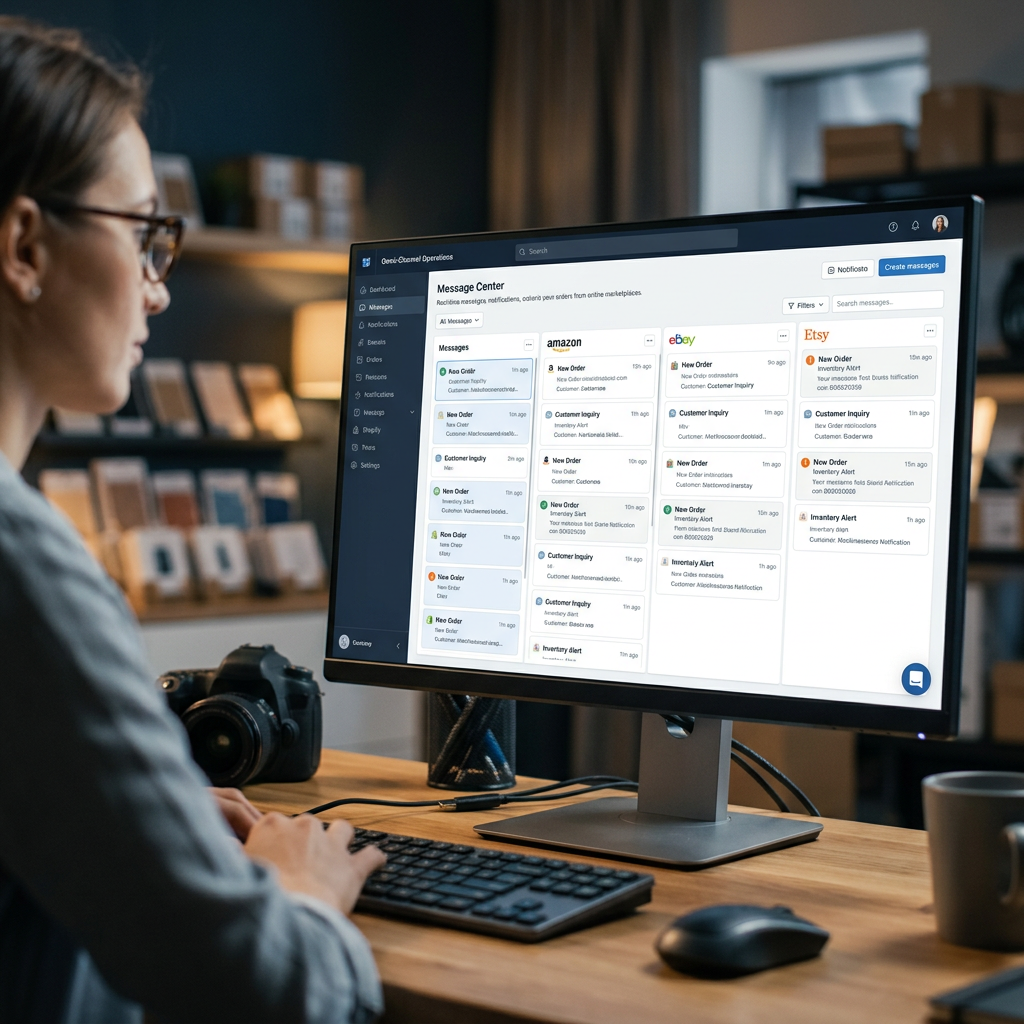
How Centralized Support Software Functions
Centralized customer support for marketplaces works by connecting to marketplace APIs to pull messages, order data, and customer history into a single interface. These tools typically utilize a 'threaded' view, where all interactions with a specific customer are grouped together, regardless of the platform they originated from.
Key Features of a Unified Inbox
- Direct API Integration: Unlike email forwarding, API integration allows you to see the exact status of a case (e.g., 'Return Opened' or 'Payment Pending') without leaving the inbox.
- Order Context: The inbox should automatically pull in the customer's order history, shipping status, and tracking numbers.
- Cross-Channel Macros: Use standardized templates to ensure brand voice consistency across all platforms.
- Auto-Responders: Set up 'Out of Office' or 'Order Received' acknowledgments that comply with marketplace policies (specifically Amazon's strict Opt-Out rules).
Tip: Ensure your centralized tool can distinguish between 'Buyer-Seller Messaging' on Amazon and 'Inquiry' messages on eBay, as each has different required response windows.
Comparison: Manual vs. Centralized Support Workflows
| Feature | Manual Management (Siloed) | Centralized Support (Unified) |
|---|---|---|
| Average Response Time | 6-12 Hours | < 2 Hours |
| Data Retrieval | Must login to each portal | Automatic order data mapping |
| Team Collaboration | Hard to track who replied | Internal notes and assignments |
| Risk of Missed Messages | High (Tab fatigue) | Low (Single stream) |
| Brand Consistency | Inconsistent templates | Unified Macro library |
Integrating Support with Inventory and Fulfillment
Support tickets are rarely just about communication; they are usually about logistics. In 2026, the most successful sellers integrate their support desk with their back-end systems. If a customer asks to change an address, your agent needs to know immediately if the item has already been picked in the warehouse.
This level of visibility is why multi-channel inventory management software in 2026 must communicate with your helpdesk. If you are effectively preventing overselling on Etsy and Shopify, your support team will deal with far fewer 'Out of Stock' complaints. When a customer does inquire about a product detail, having optimized listings ready to reference is key. You can use a Free Amazon Title Generator to ensure your internal product database uses clear, standardized naming conventions that agents can easily search.

Steps to Implement Centralized Customer Support
Step 1: Audit Your Current Channels
Identify every point of contact. This includes marketplaces (Amazon, eBay, Walmart), social commerce (TikTok Shop, Instagram), and your own D2C site (Shopify, BigCommerce).
Step 2: Choose a Helpdesk with Native Marketplace Connectors
Select a tool like eDesk, Gorgias, or Zendesk (with connectors). Native connectors are superior to IMAP/SMTP email forwarding because they pull in 'Actionable Data'—buttons to issue refunds or trigger returns directly within the ticket interface.
Step 3: Standardize Your Content
You must maintain a consistent tone. While you are optimizing cross-platform listings, you should also be optimizing your canned responses. If you frequently get technical questions, use a Free Amazon Bullet Point Generator to draft concise, benefit-driven answers that can be saved as macros in your helpdesk.
Step 4: Manage the Financial Impact
Support overhead is a real cost. High-volume support teams can eat into your margins if not managed efficiently. It is vital to factor in these operational costs when calculating your true take-home pay. Use a Free Amazon FBA Calculator to see how your returns and support-related overhead impact your net profit per unit.
Future-Proofing for 2027 and Beyond
As we move toward 2027, AI-driven 'Level 1' support will become the standard. Centralized support platforms are already integrating LLMs (Large Language Models) that can draft responses based on your historical data and shipping status. By centralizing your data now, you are building the 'knowledge base' that these AI tools will use to automate your support in the future.
Following the strategies in our 2026 growth guide for selling on multiple marketplaces will help you maintain the volume necessary to justify these advanced tools. Centralization is not just a convenience; it is a competitive moat. It allows you to scale your order volume without a linear increase in your support headcount.
Centralizing your marketplace support into a single inbox eliminates the friction of multi-platform selling and protects your seller ratings. Take a moment to audit your current response times and consider how much time your team would save with a unified view.
To further optimize your marketplace presence, explore the suite of ListerRank SEO tools for sellers.
Frequently Asked Questions
Does Amazon allow 3rd party support tools?
Yes, as long as the tool uses the authorized Amazon Selling Partner API (SP-API) and complies with their Buyer-Seller Messaging Fair Use Policy.
Can I issue refunds directly from a centralized inbox?
Many top-tier platforms like eDesk and Gorgias allow you to trigger partial or full refunds on Shopify and certain marketplaces directly from the ticket view.
How does centralization help with eBay's 24-hour response rule?
A centralized inbox aggregates all messages into one timestamped queue, allowing you to set 'SLA Alerts' that notify you if an eBay message is approaching the 24-hour mark.