

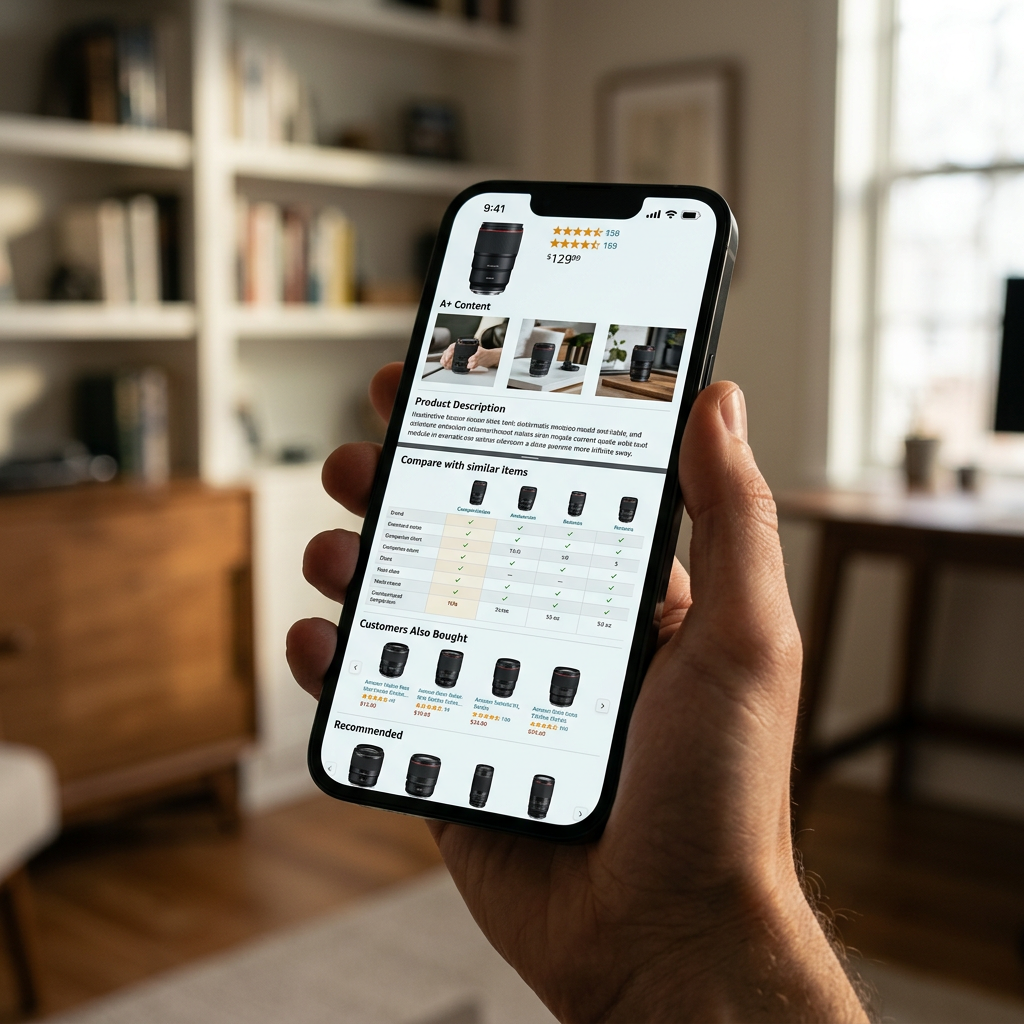
Amazon shoppers in 2026 are increasingly resistant to generic advertising, preferring to self-select products through side-by-side feature analysis. A high-performing A+ content comparison table strategy transforms a standard product description into a dynamic discovery engine, effectively acting as a curated storefront at the bottom of every listing. By guiding customers to the exact model they need, you reduce the risk of them bouncing to a competitor's page.
The Psychology of the Comparison Table in 2026
Shoppers arrive at your detail page with one of two mindsets: they are either ready to buy the specific item they clicked or they are searching for a solution and remain undecided. The comparison table serves both. For the decisive buyer, it validates their choice. For the undecided, it offers an immediate 'upgrade' or 'alternative' pathway, keeping the transaction within your brand ecosystem.
Reducing Friction with Direct Navigation
The fundamental advantage of the comparison module is the hyperlinked product image and name. In 2026, where mobile traffic accounts for over 75% of marketplace sessions, streamlining the path to purchase is critical. Instead of forcing a user to return to a search results page to compare different sizes or power levels, you provide a frictionless 'click-through' experience directly on the page.
Tip: Ensure your images in the comparison table are high-contrast. Since these thumbnails are smaller than the main hero image, use close-up crops that highlight the defining physical characteristic of that specific model.
Defending Your Detail Page Space
Amazon's 'Products related to this item' and 'Customers also viewed' carousels are prime real estate for competitors to steal your traffic. A robust comparison table pushes these automated competitor modules further down the fold. By occupying more vertical space with internal brand options, you decrease the visibility of external ads.
Designing Your A+ Content Comparison Table Strategy
A strategic table is not just a list of features; it is a ladder of value. You should arrange products from basic to premium (left to right) to encourage 'upselling' behavior. If a customer is looking at your entry-level $49 blender, seeing the $89 professional model with two extra features creates an immediate price-value anchor.
Selecting the Right Cross-Sell Products
Do not simply pick five random items from your catalog. Use a tiered approach based on technical specs or use cases. For example, a supplement brand should use the Amazon A+ Content for Supplements: Compliance and Conversion framework to compare pill count, dosage, and specific health goals (e.g., Sleep vs. Energy).
| Feature | Entry Model | Pro Model | Ultra Model |
|---|---|---|---|
| Battery Life | 12 Hours | 24 Hours | 48 Hours |
| Waterproofing | IPX4 | IPX7 | IP68 |
| AI Integration | No | Basic | Advanced |
| Price Point | $$ | $$$ | $$$$ |
Leveraging Mobile Optimization
With the Amazon app’s 2026 UI updates, comparison tables are now horizontally scrollable on even the smallest devices. However, this means the first two columns carry 80% of the weight. Place your hero product in the first column and your best 'value-for-money' upgrade in the second. For deeper insights on how the layout renders, consult the Amazon A+ Content Mobile Optimization 2026 Strategy Guide to avoid text cutoff.
High-Resolution Assets and Technical Specifications
As of 2026, Amazon's rendering engine for A+ Content supports higher DPI assets. Low-quality placeholder images in your table will signal a lack of brand authority. If you are uncertain about the specific pixels required for these thumbnails, reference our 2026 Amazon A+ Content Image Size Guide to ensure your cross-sell links look professional.

The 'Tick-Box' vs. Text Strategy
Avoid using long sentences in the table rows. The goal is scanability. Use visual indicators like checkmarks for included features and dashes for absent ones.
- Metric-Based Rows: Use numbers (120V vs 240V, 10lb vs 20lb).
- Binary Rows: Use 'Yes/No' or icons for simplicity.
- Target Use Case: Dedicate a row to 'Best For' (e.g., 'Beginners', 'Office Use', 'Industrial').
If you find your current table lacks compelling selling points, use a Free Amazon Listing Analyzer to identify which features your competitors are highlighting that you might be missing in your comparison data.
Impact on Conversion and Unit Economics
A primary goal of the comparison table is to increase the Average Order Value (AOV). However, it also serves as a critical tool for reducing returns. By clearly showing the differences between models, you prevent the 'wrong item ordered' scenario, which can erode margins due to hidden Amazon FBA return processing fees.
Calculating the ROI of Your Table
Track the 'Unit Session Percentage' for each item in the table before and after implementation. If you notice a high-priced item is gaining traffic from a lower-priced item’s page, your A+ strategy is successfully upselling. To see how these shifts in sales volume impact your bottom line, integrate these changes into your Amazon FBA overhead cost spreadsheet.
Tip: If the cost to acquire a customer via PPC is rising, use the table to steer them toward your higher-margin SKUs. You can determine your maximum sustainable acquisition cost using a Free Amazon PPC Bid Calculator.
Comparison Tables for Premium A+ Users
For brands with Brand Registry that qualify for Premium A+ (A++), the comparison module is even more interactive. You can toggle between different categories or use predictive search within the module. While the Premium A+ Content vs Standard 2026 Guide highlights that these features are often free once you meet the 15-listing threshold, the strategy remains the same: clarity, hierarchy, and ease of navigation.
Advanced Attribute Comparison
In 2026, Amazon allows for 'custom attribute' rows in some categories. This means you aren't limited to a one-word feature list. You can include value-driven phrases like "Engineered for 5-Year Longevity" or "Sustainably Sourced Materials." To see how leading brands balance this text with visuals, look at several Amazon A Plus Content examples that utilize the 'Standard Comparison Table' layout for maximum information density.
Implementation Checklist
- Audit ASINs: Ensure all linked ASINs in the table are currently in stock; an out-of-stock link in A+ content is wasted space.
- SEO Relevance: Use the Free Amazon Keyword Research tool to find secondary keywords that describe your alternative models and weave them into the table headers.
- Link Verification: Once the A+ content is published, manually click every image in the table to ensure the destination ASIN is correct.
- Size Tiers: If you are comparing different physical sizes, make sure the FBA product packaging size tiers are reflected in the shipping weights listed in the table to manage customer expectations.
Conclusion
A+ Content comparison tables are not merely decorative elements; they are tactical tools designed to maximize the revenue generated from every unique visitor. By aligning your feature sets, pricing ladders, and mobile rendering, you create a self-navigating catalog that converts.
Refine your entire page performance today with the ListerRank Amazon Listing Analyzer.
Frequently Asked Questions
How many products can I include in an Amazon A+ comparison table?
The standard Amazon A+ Content comparison module allows for a maximum of 6 products (ASINs) to be compared side-by-side. On mobile devices, these are typically presented as a horizontally scrollable list where the first two products are the most visible.
Do I need Brand Registry to use the comparison table module?
Yes, A+ Content (formerly EBC) is only available to sellers who have successfully registered their brand through the Amazon Brand Registry program. Once registered, the comparison table is one of the standard modules available in the A+ Content Manager.
Can I link to products that aren't in my own brand catalog?
No. The A+ Content comparison module only allows you to link to ASINs associated with your own brand. Attempting to link to external brands is not permitted and will typically result in the A+ content being rejected during the manual review process.
Will the comparison table show the live price of the products?
No, the A+ comparison table does not automatically pull live pricing. While you can add a 'Price' row and type in a price point, it is usually better to use qualitative terms like 'Affordable' vs 'Professional' or leave price out entirely to avoid the content becoming outdated when prices change.